










© 2025 ideal.shop All rights reserved.
Rackbeat integration
Med denne integration kan du synkronisere dine lagertal og ordrer mellem webshop og Rackbeat.
For at komme i gang skal du have en eksisterende Rackbeat konto. Har du ikke det, så opret dig hos Rackbeat først.
Efter integrationen er sat op, vil du se nye indstillingsmuligheder i webshoppens administrationen. Du kan blandt andet overføre alle lagertal fra Rackbeat til webshoppen, og ordrer fra webshoppen til Rackbeat.
Overførsel af ordrer fra ideal.shop til Rackbeat
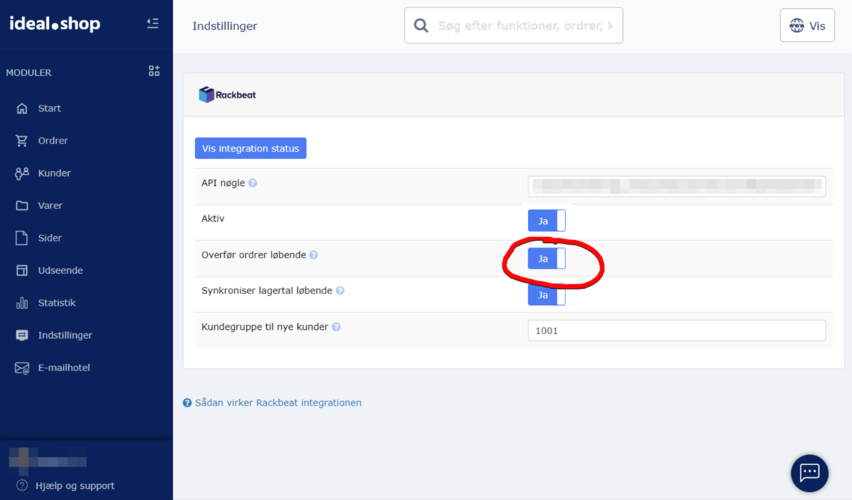
Aktiveres denne automatiske indstilling, så vil ordrer i din webshop automatisk blive overført til Rackbeat fra det tidspunkt, hvor indstillingen gemmes.
Hvis en ordre indeholder varer, som ikke allerede eksisterer i Rackbeat, vil integrationen forsøge at oprette varen.
Hvis en ordre er afgivet af en kunde, som ikke allerede eksisterer i Rackbeat, vil integrationen forsøge at oprette kunden.
Det er også muligt at overføre ordrer enkeltvis. Det gøres fra ordreoversigten ved at trykke på funktions-knappen yderst til højre. I popup menuen skal du vælge "Rackbeat".
Overførsel af lagertal fra Rackbeat til ideal.shop
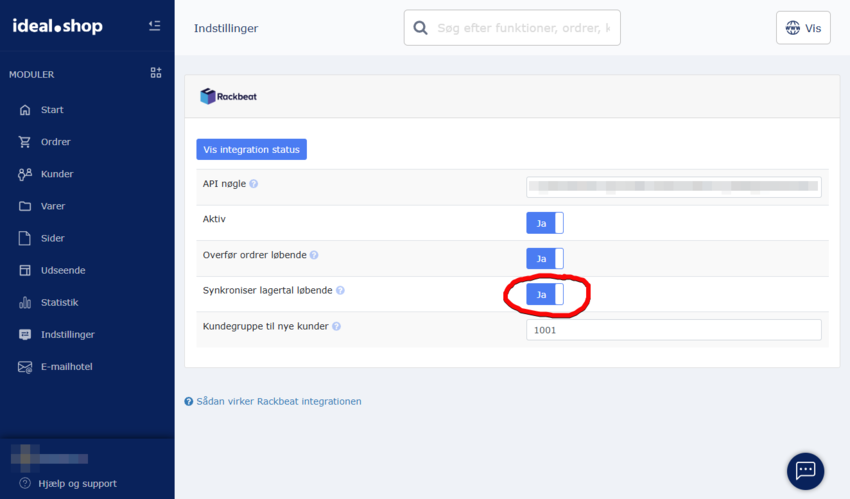
Aktiveres denne automatiske indstilling, vil lagertal blive synkroniseret fra Rackbeat til din webshop.
Det er nødvendigt at dine varer i både webshop og Rackbeat har tilknyttet IDer som gør det muligt at linke dem til hinanden. Følgende felter kan bruges til at linke en vare på tværs af de to platforme.
1. Varenummer
2. SKU
3. EAN/GTIN
Disse numre vil blive forsøgt matchet med "Nummer" hos Rackbeat.
Bemærk at du skal benytte Rackbeat som lagerstyringsenhed, hvis denne indstilling er aktiv. Du skal altså KUN lave ændringer til lagertal hos Rackbeat. Ændringerne bliver automatisk overført til webshoppen.
Ændringer i lagertal i webshoppen bliver ikke overført til Rackbeat. Det betyder, at hvis du redigerer en vare i webshoppens administration, og ændrer varens lagertal, så vil det IKKE blive overført til Rackbeat.
Hvis du synkroniserer ordrer, så vil lagertallet dog automatisk bliver tilpasses i Rackbeat når du modtager ordrer. Sælger du 2 stk af vare X, så vil lagertallet for den vare blive nedskrevet med 2 i Rackbeat med det samme.
Bemærkninger til integrationen
- Et eventuelt betalingsgebyr (som du opkræver fra dine kunder) bliver ikke overført til Rackbeat- Hvis/når integrationen forsøger at oprette varevarianter i Rackbeat, så vil varianten blive oprettet som en dedikeret vare. For eksempel vil varianten "Rød" af varen "Sweater" blive oprettet som en ny vare i Rackbeat med navnet "Sweater - Rød". Der benyttes ikke "Variantmatrix".
- Integrationen understøtter i øjeblikket ikke flere lagerlokationer.
- En ordreannullering i webshoppen bliver ikke automatisk overført til Rackbeat. I tilfælde af, at en ordre skal annulleres, skal du altså huske at gøre det både i webshoppen og hos Rackbeat. En ordreannullering hos Rackbeat vil opdatere lagertallet og overføre det til ideal.shop (hvis lagersynkronisering er aktiveret).