










© 2025 ideal.shop All rights reserved.
Kontaktformular (sidesektion)
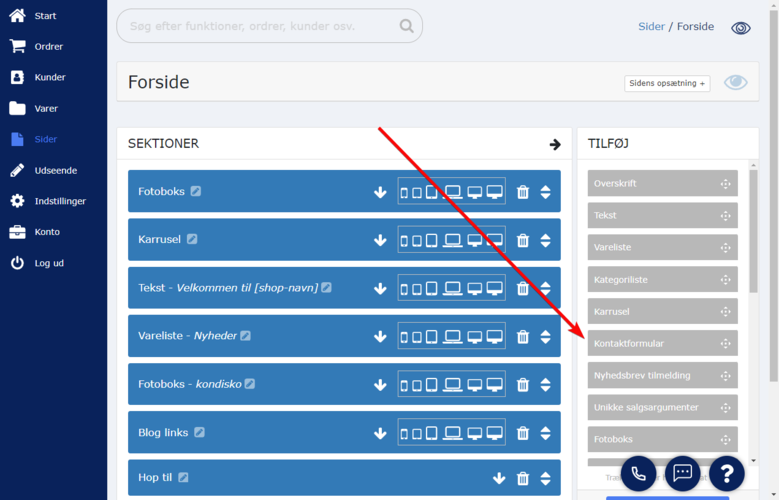
Denne sidesektion kan tilføjes der hvor du redigerer din side. Sektionen findes i højre side, og skal trækkes ind på den side som du redigerer.
Når du tilføjer sektionen, er formularen helt tom for felter. Du skal derfor tilføje de felter som du ønsker, at den besøgende skal udfylde.
Som minimum bør du tilføje felter til kundens navn og e-mailadresse samt et felt hvor der kan skrives en besked.
Ønsker du at ændre eller tilføje modtagere til kontaktformularen (hvor beskederne sendes til) kan du gå til "Indstillinger » E-mail » Mine e-mailadresser".