










© 2025 ideal.shop All rights reserved.
Hjælp til DNS
Når et domæne bruger ideal.shop navneserverne (DNS) har du mulighed for at lave ændringer til domænets DNS poster.
Det kan eksempelvis blive nødvendigt hvis du skal opsætte en ekstern tjeneste som ansvarlig for dine e-mailadresse (MX).
DNS kan også bruges af mange eksterne tjenester til at bekræfte, at du ejer domænet.
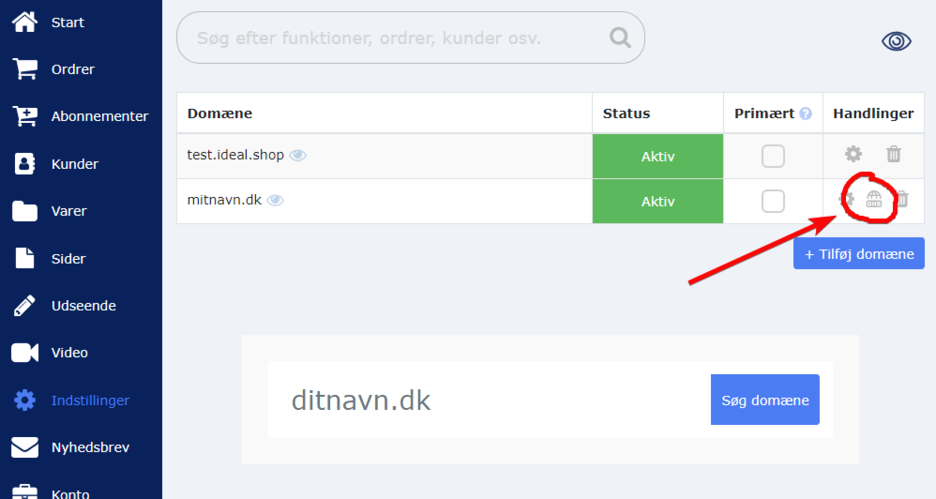
Du kan finde DNS værktøjet i administrationen under "Indstillinger > Domæner".
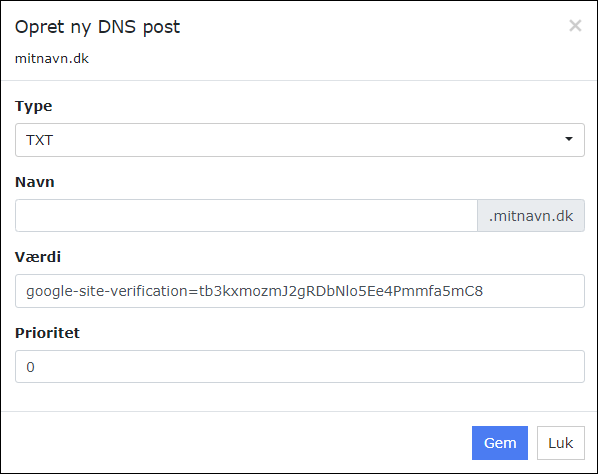
Eksempel på TXT
TXT poster bruges blandt andet til at bevise, at du ejer et domæne. Tjenester såsom Google Workspace eller Klaviyo kan bede dig om at tilføje en TXT post til dit domæne.Det er også muligt at bruge TXT poster til SPF og DKIM.
Bemærk at navne-feltet skal være tomt i de fleste tilfælde.
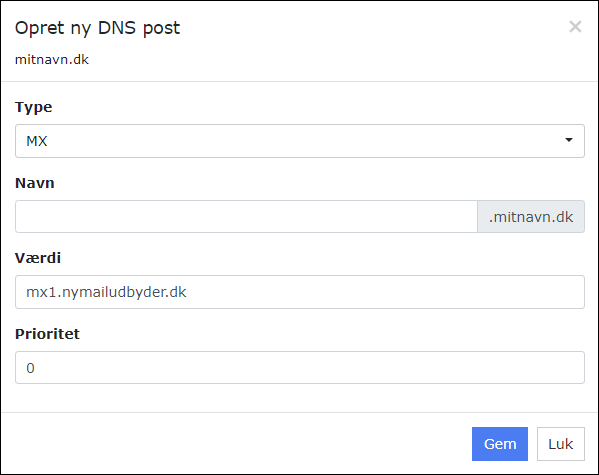
Eksempel på MX
MX poster bruges til at angive en ekstern tjeneste som skal håndtere e-mail for domænet.Bemærk at navne-feltet skal være tomt i de fleste tilfælde.
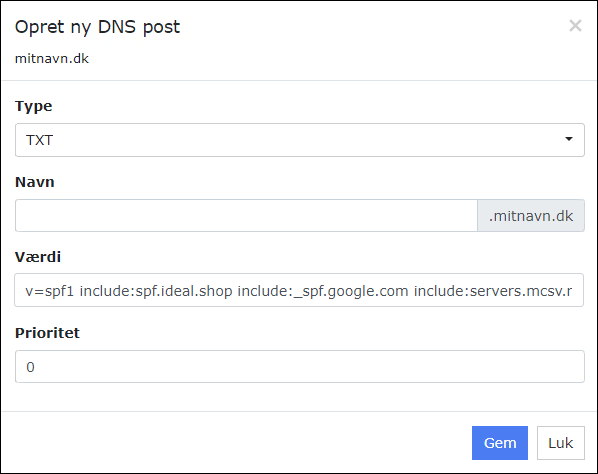
Eksempel på SPF
Det kan være en rigtig god idé at tilføje en SPF post til dit domæne, for at forbedre leveringssikkerheden af beskeder (undgå at dine beskeder ryger i spam).Det er vigtigt at SPF posten indeholder include:spf.ideal.shop foruden eventuelle andre udbydere som du vil tillade som afsender.
Hvis du eksempelvis bruger Klaviyo til at sende nyhedsbreve, så skal din SPF post se således ud:
v=spf1 include:spf.ideal.shop include:spf.klaviyo.com ~all
Det er en god idé at inkludere din e-mailudbyder i din SPF. Hvis du bruger Google Workspace som udbyder og samtidig bruger Mailchimp til at sende nyhedsbreve, så bør din SPF se således ud:
v=spf1 include:spf.ideal.shop include:_spf.google.com include:servers.mcsv.net ~all
Hvornår har en ændring effekt?
Når du laver ændringer til DNSen, så bliver ændringen verificeret og "lagt live" med det samme.DNS fungerer dog sådan, at informationer bliver cachet og opdateret med forskellige mellemrum af de forskellige internettjenester. Så du skal forvente, at en ændring i DNSen muligvis først bliver "opdaget" af eksterne tjenester efter et stykke tid (helt op til 24+ timer i nogle tilfælde).