










© 2025 ideal.shop All rights reserved.
Facebook Business Manager advarer om problemer i mit feed
Overfører du varedata til Facebook via dit produktfeed, så er det desværre meget sandsynligt, at du begynder at modtage advarsler om "problemer" med dit feed.
Det er vigtigt at bemærke at der er stor forskel på FEJL og PROBLEMER. Og det er højst sandsynligt kun PROBLEMER/ADVARSLER som du bliver gjort opmærksom på.
Det betyder at der ikke er FEJL i dit feed. Du kan faktisk trygt ignorere beskeder som den herunder! (men læs lige videre, i tilfælde af at du kan optimere noget)
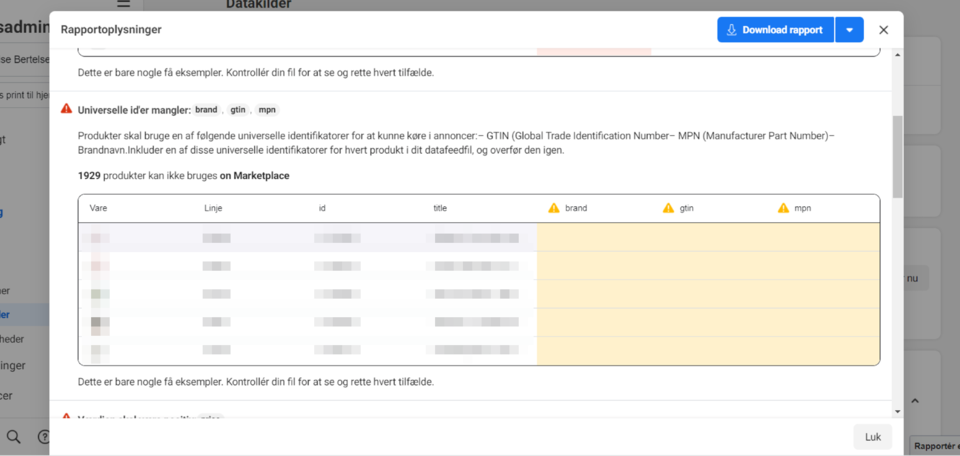
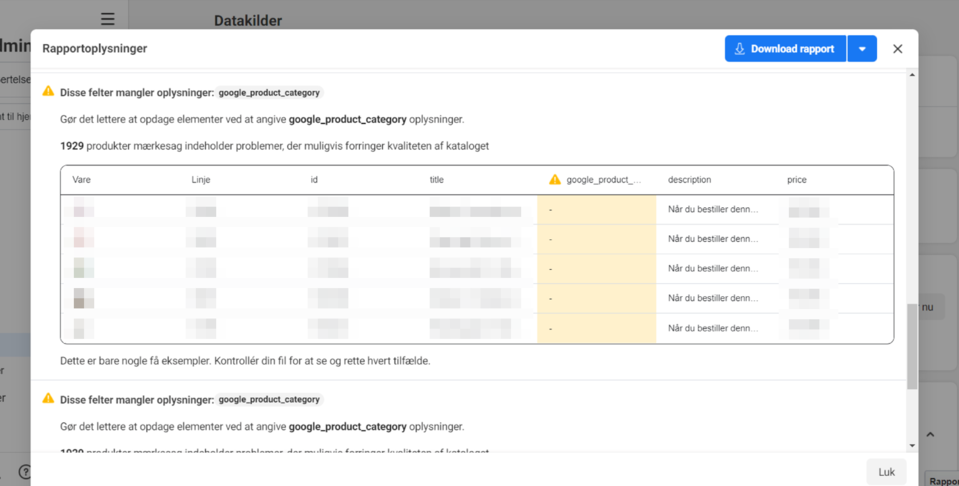
Men hvad betyder advarslen så?
Facebook er interesseret i at få så mange informationer om dine varer, som overhovedet muligt. Jo mere data, jo bedre kan Facebook afgøre, hvor, hvornår og hvordan en vare skal vises.
Derfor vil Facebook meget gerne have informationer såsom unikke IDer (SKU og GTIN).
Har du disse informationer (SKU og/eller GTIN) så kan du indtaste dem på dine varer. Men det er altså ikke et krav!
GTIN/SKU: Søg i supersøgeren efter sku eller gtin og aktivér felterne. Derefter kan du indtaste informationerne ved at redigere varen.
google_product_category: Søg i supersøgeren efter "google_product_category" og aktivér værktøjet. Derefter kan du indtaste informationerne ved at redigere varekategorier (anbefales) eller på hver enkelt vare.